
Mirror Plus - HD Mirror app
Digitalchemy, LLCBeauty
4.830.89K Reviews
- Version
- 4.4.15
- Installs
- 10.00M
- Age Rating
- Everyone
Screenshots
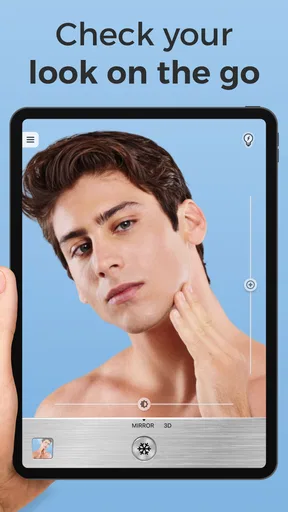
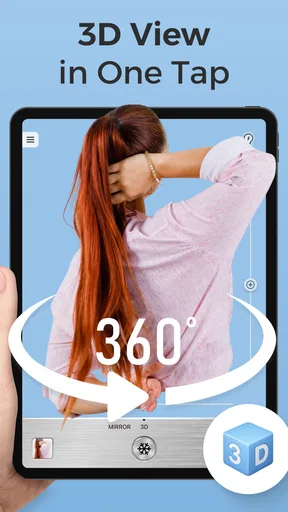
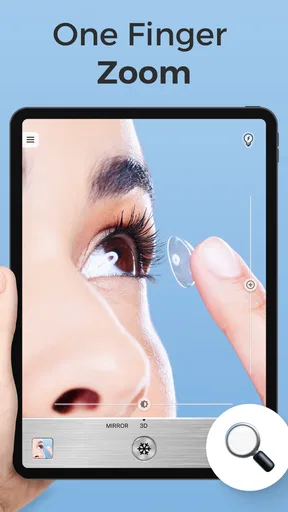
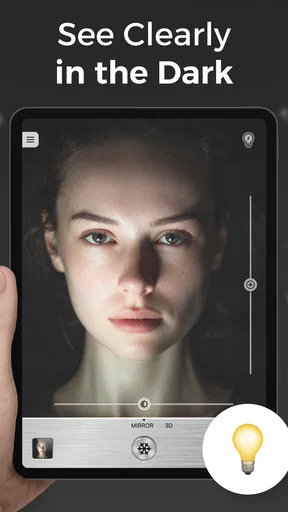
Our Review of Mirror Plus - HD Mirror app
 Analysis by Appyee
When I want to check my face without hunting for a bathroom mirror, I reach for my phone. A front-camera preview can do the job, but it often feels awkward to hold and offers little help when the light is poor. Mirror Plus - HD Mirror is built around that small, familiar need: a quick view of your reflection, with controls that can make close checks and dim rooms easier to manage.
What to expect from a phone mirror
This is a focused beauty app from Digitalchemy, LLC, rather than a photo editor or a full grooming guide. Its central purpose is to turn the screen into a practical mirror for makeup, shaving, and quick appearance checks. The appeal is convenience: your phone is already with you, so there is no separate compact to remember or ordinary mirror to locate.
The app has a 4.8 average from around 395,000 ratings, and it has passed 10 million installs. Those figures suggest it has found a broad audience, but they do not tell me whether it suits every phone or every lighting situation. I would think of it as a useful backup and touch-up tool, not a replacement for a well-lit bathroom mirror when precision really matters.
It is free to download, rated for Everyone, and offers in-app purchases at $2.99 per item. The app first appeared on January 8, 2012, and its current version is 4.4.12, with Android 6.0 as the minimum operating system. That makes it an option for a range of older Android devices, though how comfortable it feels will still depend on the camera and screen in the phone you use.
Getting set up without overthinking it
My advice to a first-time user is to start somewhere with steady light rather than judging the reflection in a dark hallway. Open the mirror view, hold the phone at a natural distance, and adjust the screen brightness until you can see your face comfortably. The controls are there to help you adapt the view; they cannot create detail that the camera has not captured or make poor surroundings disappear.
It is also worth finding a comfortable grip before trying a detailed task. Holding a phone close to your face for a while can be tiring, especially if you are using zoom. I would prop an elbow on a counter for a careful makeup check or shaving touch-up, then move the phone away when I want to judge the overall result. That simple change makes the view steadier and helps avoid treating a magnified patch as if it showed the whole face.
For the first useful test, try something brief and specific: check whether your hair is out of place, look for a smudge near an eye, or see whether you missed a small shaving area. Once that works in familiar lighting, try the brightness control in a dimmer room. This gives a better sense of what the app can do on your own device than immediately expecting it to behave like a studio mirror.
First Impressions and Setup
When I first downloaded the Mirror Plus - HD Mirror app, I was immediately struck by its sleek interface. The installation was a breeze, and it didn't take up much space on my phone, which is always a plus in my book. Once installed, the app opened up swiftly, without any annoying ads or splash screens, which is a huge relief in today's app world.
User Interface and Experience
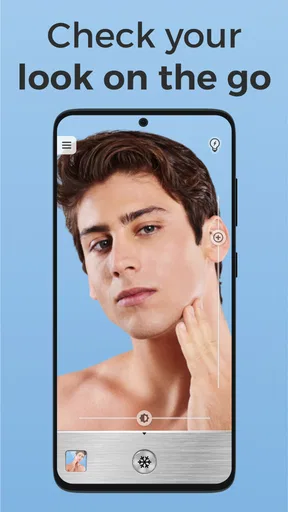
The app's interface is intuitive and straightforward. You get a full-screen mirror with easy-to-access controls at the bottom. The design is minimalistic, focusing on functionality rather than flashy designs. It's like the app says, "Hey, I'm here to help, not to distract."
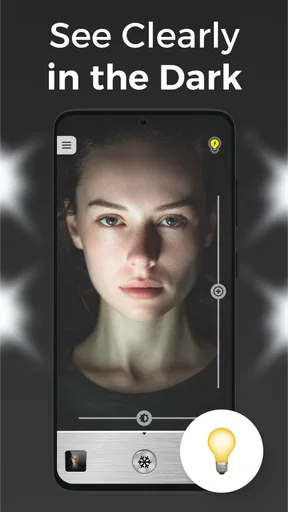
One of the things I love about Mirror Plus is the clarity and quality of the reflection. The app uses your phone's front camera, but it enhances the image, making it almost like looking into a real mirror. I was genuinely surprised at how sharp and clear the reflection was, even in low-light conditions.
Special Features
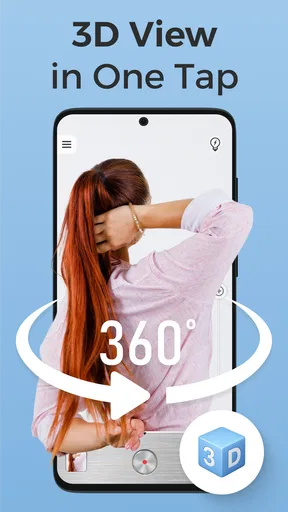
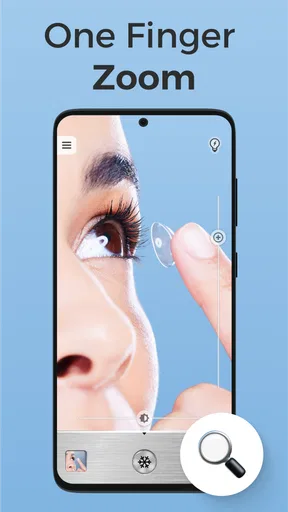
Now, let's talk features. Besides the regular mirror function, the app includes a zoom option, which is perfect for those close-up checks. You know, like when you're trying to see if you've got a stray eyelash or if your eyeliner is on point. It also comes with a freeze frame option, allowing you to capture the reflection as a still image. This feature is fantastic for those moments when you need to compare different looks or just want a quick selfie.
Another cool feature is the brightness adjustment. You can easily slide the brightness up or down, ensuring you get the best possible image regardless of your surroundings. It's like having a mirror with its own built-in lighting system.
Making the controls work for you
Zoom is most useful when you have a precise question, such as whether a lash needs attention or a small area needs another pass with a razor. I would not leave it zoomed in while doing a whole-face check: the tighter view makes it easier to lose track of where you are and can make ordinary texture look more noticeable than it does at a normal distance. A quick zoom-in, adjustment, and zoom-out is a more dependable workflow.
The freeze-frame option is handy when you need to pause and inspect a detail without keeping your arm perfectly still. It can also help when comparing two moments, but it is not the same as a controlled before-and-after photo setup. Keep the phone angle and lighting similar if you want a useful comparison; otherwise, a change in shadows can look like a change in makeup or skin.
Brightness adjustment is best treated as a way to make the screen easier to view, not as a substitute for good light on your face. Increasing screen brightness may make the display more comfortable to look at, but it cannot reliably reproduce how makeup will look in daylight or under another room’s lighting. For a final check before leaving, I would still glance at the result in the light where I expect to spend time.
Practical Usability
I've found myself using the Mirror Plus app in various situations. Whether I'm out at a restaurant, in a dimly lit club, or just too lazy to get up and walk to the bathroom mirror, this app has been my go-to. It's especially handy for quick touch-ups or just making sure I don't have spinach stuck in my teeth after a meal.
The app is also super responsive. There’s no lag or delay when switching between features, which makes the whole experience smooth and enjoyable. It's truly a pocket mirror on steroids.
Everyday moments where it earns its place
A realistic use is a quick check between meetings or before meeting friends: I can step somewhere with decent light, open the mirror, smooth a stray hair, and check that lipstick has not spread beyond the lip line. It takes less effort than opening a camera app, finding the front-facing mode, and dealing with photo-oriented controls. The benefit is modest but real: fewer steps for a task that usually lasts only a few seconds.
For shaving, the magnified view can help with a small missed patch, especially when a larger mirror is not nearby. I would use it for a final detail rather than shaving an entire face by phone. A handheld screen limits how much of the face I can see at once, and keeping a phone close to water or shaving products is an avoidable risk. In a bathroom, a fixed mirror remains the sensible main tool.
On a trip, it is a convenient backup when the room mirror is poorly placed or shared. It also suits someone who keeps a small bag and wants to avoid carrying a separate compact. If you wear glasses, however, you may find taking them off to inspect a close detail inconvenient; in that case, a magnifying vanity mirror may be more comfortable for a longer routine.
Where it differs from the usual alternatives
Compared with the standard camera app, a dedicated mirror view is meant for looking rather than composing a photograph. That can make a quick check feel more direct, while zoom, brightness adjustment, and freezing the view offer practical ways to inspect a detail. The camera app may still be better if you need to save a photo, use its own focus controls, or compare images in a photo workflow.
A physical compact mirror wins on simplicity and does not depend on a phone battery or camera. A wall mirror wins for a hands-free, wider view and is easier for applying makeup across the whole face. I see this app between those options: more available than a mirror you left at home, but less suitable than a proper mirror for a lengthy, detailed routine.
One trade-off is that a phone camera’s view is not a perfect stand-in for how other people see you. Distance, angle, screen brightness, and the room’s light all affect the impression. I use it to catch obvious issues and handle small corrections, not to judge subtle color matching or make a high-stakes grooming decision based on one close-up.
Common confusion and sensible limits
If the image seems too dark, first move toward a brighter source of light and check that the front camera is not covered by a finger or case edge. Raising display brightness can help you see the screen, but it does not necessarily brighten the scene captured by the camera. Keeping that distinction in mind prevents chasing a control for a problem it cannot solve.
If a frozen image looks different from the live view, remember that it is a paused moment: a small head movement or a shift in the light can change the result. Use it to inspect one detail, then return to the live reflection before deciding whether the overall look is balanced. Likewise, zoom is for close inspection, not evidence that every tiny feature needs correction.
This is not the right choice for someone who wants professional lighting, a hands-free setup, saved progress through a full makeup routine, or a broad view of the face and outfit at once. A real mirror, a dedicated lit vanity mirror, or a camera app designed around taking and reviewing photos would serve those needs better. The strongest case for this app is convenience in short, ordinary checks.
Final Thoughts
Overall, I’ve been really impressed with the Mirror Plus app. It's an app that does exactly what it promises, without any frills or unnecessary complications. If you're someone who likes to be prepared and wants a reliable digital mirror with some extra perks, this app is definitely worth a try.
Whether you need it for daily grooming, quick checks, or even just for fun, Mirror Plus - HD Mirror is a handy tool to have in your smartphone arsenal. The convenience and quality it offers make it a standout choice for anyone in need of a virtual mirror. Go ahead, give it a shot, and see your reflection in a whole new light!
Who I would recommend it to
I would recommend it most to people who want a fast, portable way to check their appearance and are happy to use a phone screen for brief tasks. It makes particular sense if you often notice small grooming details after leaving home, or if you would rather use one device already in your pocket than carry a separate compact. Its simple controls are also approachable for someone who does not want to learn a complicated beauty app.
I would skip it if your main goal is to plan a full makeup look, assess exact color in different lighting, or keep both hands free. It is a mirror utility, not a virtual makeover tool, and the camera view has the limits of a handheld phone. For those needs, a physical vanity mirror or a photo-focused app is a better fit.
For a first session, I would keep the goal small: check one detail in good light, try zoom only if needed, and use the freeze option when a still view genuinely helps. After that, you will know whether the camera and screen on your phone give you a reflection you trust. That is the useful test—not expecting a phone to replace every mirror, but seeing whether it makes those quick, in-between checks easier.
Privacy and Permissions
See what permissions an app requests and how it handles your data.
- Photos/Media/Files
- read the contents of your USB storage, modify or delete the contents of your USB storage
- Storage
- read the contents of your USB storage, modify or delete the contents of your USB storage
- Camera
- take pictures and videos
- Wi-Fi connection information
- view Wi-Fi connections
- Other
- view network connections, full network access, run at startup, control vibration, prevent device from sleeping, Google Play license check
Verdict
Strengths of Mirror Plus - HD Mirror app
- High-quality reflection with no lag.
- User-friendly interface for quick access.
- Built-in zoom feature for detailed view.
- Customizable brightness for better visibility.
- Ad-free experience enhances usability.
Limitations of Mirror Plus - HD Mirror app
- Limited to front camera use only.
- No additional beauty filters available.
- Requires good lighting for best results.
- No option to save mirror images.
- Lacks a night mode for low light.
Other Releases by Digitalchemy, LLC
View All
Currency Converter Plus Rates
Travel & Local4.8
Similar Picks in This Category
View All
Beauty Makeup Editor & Camera
Photo & Video Editors - Instant Solution4.7

Perfect365: Face Makeup Editor
Perfect365, Inc.3.5

Cute Lock Screen & Wallpapers
Prometheus Interactive LLC4.6

HD Camera for Android
One Music Player4.5

Phone Mirror app - True Mirror
Cards4.6

Beauty Camera: Sweet Camera
Mobile_V54.6
Frequently Asked Questions
What features does Mirror Plus offer compared to a regular mirror?
Mirror Plus is more than just a digital reflection tool. It offers features like zoom, freeze-frame, and selfie-capture, making it versatile for makeup application or checking your appearance. The app also includes brightness adjustment and video recording, which are not possible with a traditional mirror, enhancing your grooming experience.
Is Mirror Plus available for both Android and iOS devices?
Yes, Mirror Plus is available for download on both Android and iOS platforms. This ensures that users across different devices can access its features without limitation. You can find the app on the Google Play Store for Android and the App Store for iOS, making it widely accessible to smartphone users.
Does Mirror Plus require an internet connection to function?
No, Mirror Plus does not require an internet connection for basic functions like using the mirror, zoom, or freeze-frame. However, if you wish to share selfies or videos directly from the app, an internet connection will be necessary. This makes it convenient for offline use as well.
Are there any in-app purchases or ads in Mirror Plus?
Mirror Plus is a free app, but it includes advertisements to support its development. While the core features are accessible without payment, there may be optional in-app purchases to remove ads or unlock additional features. Users can enhance their experience by choosing these premium options if desired.
How does Mirror Plus ensure privacy and security for users?
Mirror Plus prioritizes user privacy by not storing any images or videos on its servers. All content is saved locally on your device, ensuring your personal data remains private. Additionally, the app does not access your personal information without permission, aligning with standard privacy practices.
